
KBD67 Rev 2.0 MKii Alu Review!
Introduction
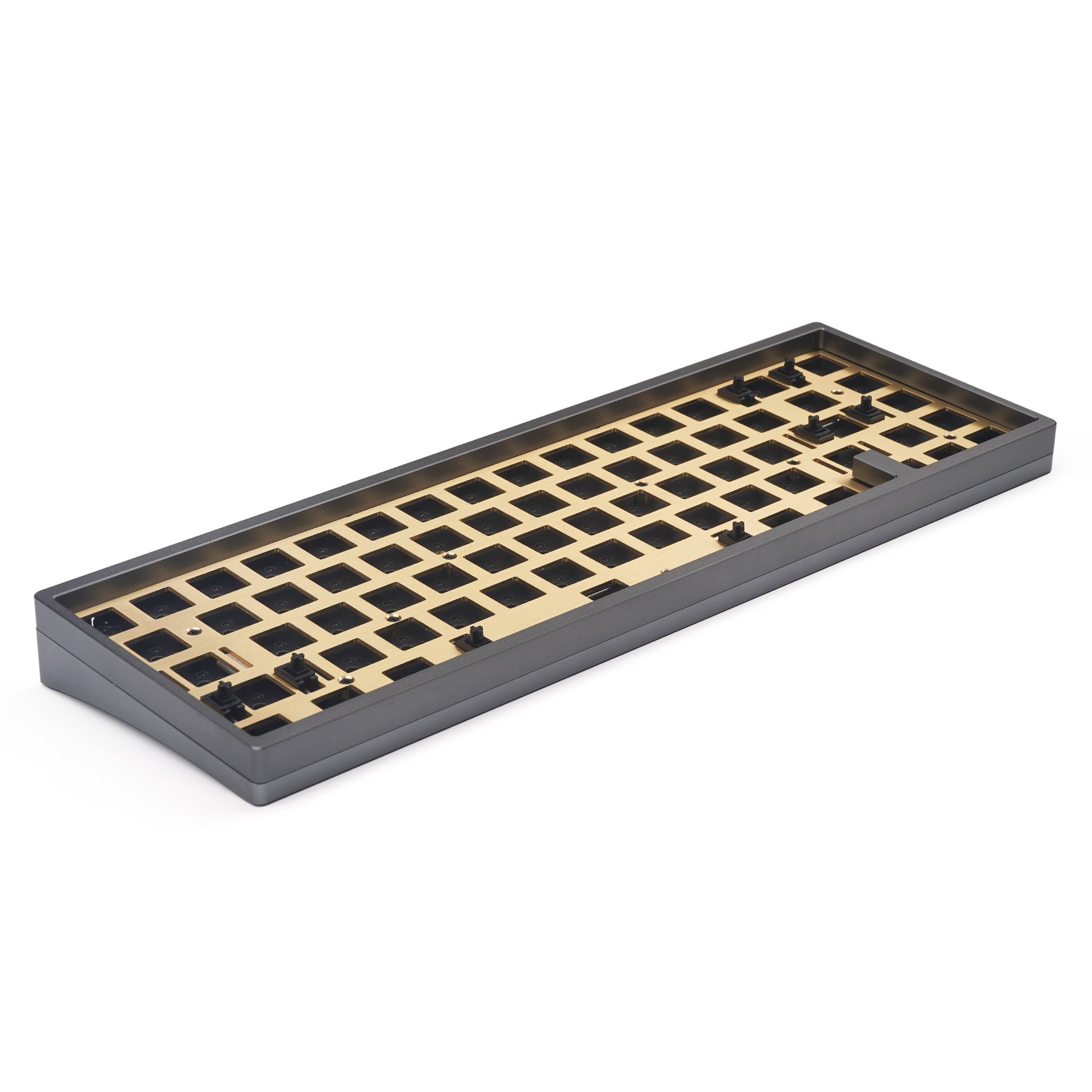
The KBD67 Rev 2.0 MKii Aluminum (Alu) is a 65% custom mechanical keyboard designed by Ai03 in collaboration with KBDFans. The keyboard price starts at USD$235 and at that pricing it may be slightly higher than most entry custom mechanical keyboards. The KBD67 Rev 2.0 MKii Alu kit comes in a top mount configuration and provide you with a choice of soldered or hotswap Printed Circuit Board (PCB), a brass weight and plate.
The default brass plate and PCB only comes with a fixed layout, catering only for ANSI and 6.25 Units (6.25U) spacebar. The soldered PCB comes with a flex cut in the middle to allow minor flex of the PCB, while the hotswap PCB do not come with any flex cut.
Typing Experience (Flex/Bounce)
Due to the keyboard comes with a brass plate and top mount configuration, it does not offer much flex or bounce to the keyboard. The typing experience on the keyboard is rather harsh and stiff. If you are someone who enjoys bottoming out each of your key press, you may not enjoy the typing experience of this keyboard. However, if you are a light typist it may suit you better as the keyboard offers all the features of a custom mechanical keyboard at a lower price point.
Sound & Sound Isolation
The KBD67 Rev 2.0 MKii Alu sound exactly like all top mount boards currently within the hobby. The vibration produced by each key press will travel from the plate to the top of the case before traveling down to the bottom case and dissipating itself. The sound on this board is not the best, but if configured properly it does offer a decent sounding keyboard.
However, there are some reports circulating within reddit/geekhack/forums on a metallic buzz during prolong typing. A member in the community managed to isolate the buzz to the brass backweight of the keyboard. It is to my understanding that the brass backweight did not come with a screw that secure the backweight tightly and when the vibration is traveling downwards, it may cause a slight reverb back due to the brass backweight. The problem was resolved by removing the backplate completely.
There were other reports mentioning of a metallic ping during usage. The solution for this issue was to put a small layer of foam behind the PCB or on the bottom case. The material for the foam work best with; felt, sorbothane foam or eva foam. However, during my personal build both sorbothan and eva foam were too thick at around 3mm. Hence, I chose to use a 1mm thic felt to provide a small layer of dampening at the bottom of the case to remove the metallic ping from my personal KBD67 Rev 2.0 MKii Alu.
Case Quality
My personal KBD67 Rev 2.0 MKii Alu backweight did start to patina after 6-7 months of usage. Do note that this was with 0 contact from my fingers as I do not move or touch the back of my keyboard once it sits on the table. From my understanding the early onset of patina is due to the brassplate was not PVD coated and it was subjected to the humidity which may have led to an early onset of patina.
But the patina is nothing that cannot be removed, if you choose to attempt to remove it do remember to detach the backweight from the bottom case before attempting to either polish or sand the brass plate. This is prevent the bottom case from being scratched.
The anodization on the KBD67 Rev 2.0 MKii is decent for a mid tier custom mechanical keyboard. On my personal unit, the KBD67 Rev 2.0 MKii Alu had a slight anodization mismatched between the bottom case and top case. However, the mismatch was not obvious from a distance unless inspected closely. The CNC machining of the keyboard was a decent job and there are no visible CNC machining marks on my personal unit.
Conclusion
In conclusion, I will say this keyboard offers a good starting experience if this is the first time you’re entering the hobby. This keyboard will not provide you with a luxurious or premium feel, however, if you are looking for a decent entry level custom mechanical keyboard it will be able to fill the void. There are some minor issues with the keyboard, such as you may need insert a layer of the foam beneath the PCB to remove the metallic ‘ping’ on KBD67 Rev 2.0 MKii Alu. But with some simple modifications and tinkering this keyboard will be able to provide you with a decent typing experience and ownership.
Potential Alternative
In the recent month, the custom mechanical keyboard scene has grown exponentially and there are more alternative custom mechanical keyboards. In the year 2021, Cannonkeys launched the Bakeneko a 60% aluminum casted mechanical keyboard at only USD$120. GMMK also released their own version of GMMK Pro a 75% gasket mounted aluminum mechanical keyboard at USD$170. In June of 2021, Keychron introduced their 75% gasket mounted aluminum mechanical keyboard and the target price is USD$150 and include both switches and stabilizers. The same month, Charue Design released an O-ring mounted (Gummy Worm) 60% CNC aluminum mechanical keyboard at USD$185 for the non-weighted version and USD$215 for the weighted version. There are other honorable mentions such as Makerkeyboards with their O-ring mounted (Gummy Worm) 65% CNC aluminum mechanical keyboard at USD$215. Please do your due diligence as the buyer before committing to any keyboards.
Scoreboard
| Category | Score |
|---|---|
| Typing Experience (Flex/Bounce) | 6/10 |
| Sound & Sound Isolation | 5/10 |
| Case Quality | 5/10 |